


Screen Recorder - AX Recorder
4.51.24K Reviews
App Specs
- Version
- 2.5.1.0
- Updated On
- License
- Free
- Downloads
- 10,000,000+
- Developer
- Video Recorder & Photo Collage
- Categories
- Video Players & Editors
- Platform
- Android, iOS
Screenshots
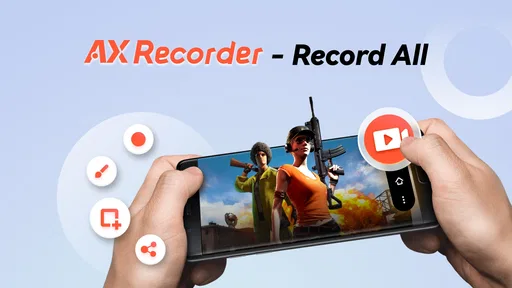

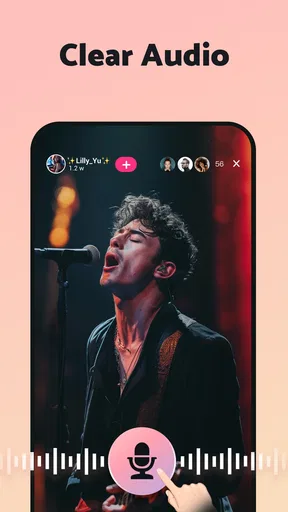

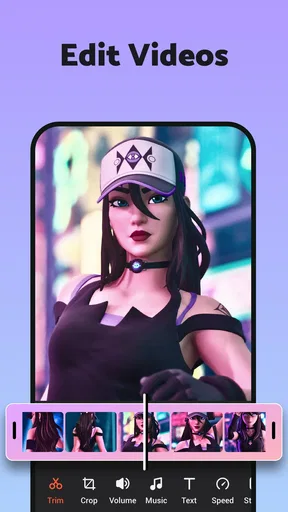

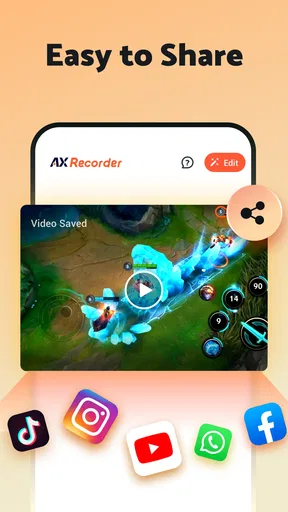
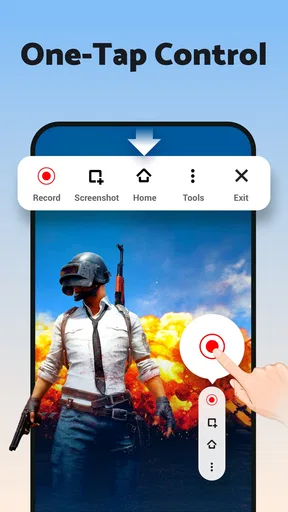
 Analysis by AppCompare
I often think about screen recorders less as creator tools and more as handy household utilities. Someone may need to show a relative how to change a setting, a student may want to save a walkthrough, or a player may want to capture a tricky moment to share later. Screen Recorder - AX Recorder is aimed at those quick, practical jobs as well as gaming clips. In my experience, its appeal is the simple idea of turning what is happening on a phone into a video without making the process feel like a project.
A useful tool on a shared phone
Imagine a family member is having trouble finding a setting, and you cannot stand beside them to point at the screen. A short recording can show each tap in sequence, with spoken guidance if that suits the situation. AX Recorder can also help someone preserve a game moment or make a basic how-to clip without moving the task to a computer first. That makes it useful on a shared device, provided the person recording is comfortable deciding what appears in the capture.
That last point matters more than it might seem. A screen recording can include notifications, names, messages, or other private details if they appear while recording. Before starting a tutorial or showing a clip to someone else, I would close anything personal and think through what might pop up. This is a simple preparation step, but it can prevent an otherwise useful recording from revealing more than intended.
Who will get the most from it
I see the strongest fit for people who want a straightforward way to capture app steps, game sessions, or short demonstrations. The built-in pause and resume control is particularly useful for a tutorial: I can stop while I gather the next detail, then continue without turning the final video into several separate files. The basic editing options can also help tidy a clip before sharing it.
It is less compelling for someone who needs a full post-production setup, carefully layered narration, or a polished creator workflow. A dedicated desktop editor is usually better for arranging several clips, correcting audio, and refining a finished video. Likewise, if a phone’s built-in screen recorder already covers your needs, installing another recorder may not add enough value to justify a second workflow.
Recording with a little planning
One practical habit is to make a brief test recording before a long session. Check that the image is readable and that the sound source you intended is present; this is especially worthwhile when you are recording spoken instructions or game audio. A short test also gives you a quick sense of how large the resulting file may be on your device, helping you avoid starting a long capture when storage is tight.
For a tutorial, I would plan the route through the app before pressing record. Open the relevant screen, clear distractions, and speak at a steady pace if you are narrating. If you make a mistake, pausing gives you a chance to regroup, though it is still sensible to watch the result afterward and trim any awkward start or finish. This small review step makes a bigger difference than trying to perform every action perfectly in one take.
Worth Reading Before You Choose

Flipboard Shows What News Apps Must Do Beyond the Feed

Switching to Android Auto Means Rethinking Your Driving Routine

Google Calendar Makes a Crowded Week Easier to Manage

Ludo King Makes the Most of the Minutes Between Plans

Baby Panda World Brings Quick Play to Modern Phones, but Its Game Library Feels Busy

ESPN’s Live Game View Makes Following Close Games Easier
How it fits among other recorders
AX Recorder sits in the familiar screen-recording category, where the usual alternatives are the recorder built into a phone or a more elaborate capture-and-editing suite. A built-in option can be the simplest choice for an occasional clip because it avoids adding another app. AX Recorder is more appealing when you want recording controls and quick editing in one place, while a larger editing suite makes more sense when the final video needs substantial polish.
The trade-off is that convenience does not remove the need to check the result. Screen capture can be affected by what the phone is doing, what is visible, and how long the recording runs. For a quick explanation or a personal gaming clip, that is usually manageable. For a time-sensitive demonstration where every detail must be perfect, I would record a short sample first and keep a backup plan rather than assume any mobile recorder will capture a flawless take.
Shared use, permissions, and trust
On a household phone, it helps to agree who is using the recorder and where saved clips should go. A video made for one person may contain account names or messages that another person would rather not share. I would treat recordings as personal files until the people shown or mentioned have had a chance to review them, especially when a child is using a shared device.
The app is rated for Everyone, which makes its age classification broad, but that is not a substitute for family judgement about recording and sharing. A younger user may need a reminder to avoid capturing private chats or account screens. I would also keep expectations clear: the useful safeguards here are ordinary household habits, not assumptions about family controls or automatic privacy protection.
What to weigh before installing
The app is free to download, and it has an average rating of 4.5 from around 105,000 ratings, with over 10 million installs. It is made by Video Recorder & Photo Collage, and its current version is 2.3.0.2. Those figures suggest it has reached a broad audience, but popularity alone cannot tell you whether its recording style will suit your phone or your routine.
There are also in-app purchases, listed at $14.99 per item, so I would check the purchase details before paying for anything. The free experience includes ads according to my experience, and those interruptions may be unwelcome if you are trying to move quickly between setup and recording. Longer videos also use storage, so the app is a better fit when you can manage your clips rather than leave every capture on the device indefinitely.
My household verdict
I would recommend AX Recorder to someone who wants an accessible way to make screen videos for explanations, casual gaming, or quick demonstrations and is willing to take a few privacy and storage precautions. It is less suited to people who need advanced editing, a tightly controlled shared-device environment, or a recorder that adds no ads or extra purchase considerations. The app is free, and its age rating is Everyone; it supports Android 6.0 and later.
For a shared household device, the best approach is to keep recordings purposeful: capture only what you need, review the clip, and decide carefully before sending it on. That makes the app more useful and reduces the chance of an accidental overshare. If those simple boundaries fit the way your family uses its phones, AX Recorder is a practical option to try.
Hey there! So, I recently got my hands on Screen Recorder - AX Recorder, and let me tell you, it’s been quite the experience. Whether you’re a content creator, a gamer, or just someone who loves to capture moments on your screen, this app has a lot to offer. Let’s dive into the nitty-gritty of what makes this app tick and whether it’s worth the download.
First Impressions
Upon first launching Screen Recorder - AX Recorder, I was greeted with a clean and intuitive interface. No unnecessary clutter or complex menus to navigate, which is always a plus in my book. The app seems to be designed with the user in mind, making it super easy to get started right away.
Features Galore
The app is packed with a variety of features that cater to different needs. Here’s a quick rundown:
- High-Quality Recording: You can record in full HD, ensuring your videos look crisp and professional.
- Audio Options: Record with internal sound or include your microphone input. Perfect for commentary or tutorials.
- Facecam: Add a personal touch to your recordings with the facecam feature. It’s great for gamers who want to share their reactions live.
- Editing Tools: The app includes basic editing features like trimming and adding music, which is a handy touch for quick edits.
What I found particularly useful was the ability to pause and resume recordings. This might seem minor, but it’s a game-changer when you need to take breaks without starting over.
Performance and Usability
Now, let’s talk about performance. I tested the app on both Android and iOS devices, and it worked seamlessly on both. The recordings were smooth, with no noticeable lag or frame drops, which is crucial for high-quality content creation.
Usability is where this app really shines. The controls are straightforward, and I didn’t encounter any frustrating moments trying to figure things out. The developers have clearly put a lot of thought into making the user experience as hassle-free as possible.
Customization and Flexibility
One aspect I really appreciated was the level of customization available. You can tweak the resolution, bit rate, and frame rate to suit your needs. Whether you’re going for a quick demo or a detailed tutorial, the app lets you adjust settings to get the perfect outcome.
Additionally, for those worried about storage space, the app offers options to save recordings in different formats and sizes. This flexibility means you can optimize your video files without sacrificing quality.
Things to Keep in Mind
While Screen Recorder - AX Recorder is fantastic, there are a couple of things to keep in mind. The free version includes ads, which can be a bit distracting if you’re in the middle of a project. However, there’s a premium version available that removes ads and offers a few extra features.
Another point is that longer recordings can take up a significant amount of space, so be sure you have enough storage available before you start capturing lengthy sessions.
Final Thoughts
Overall, Screen Recorder - AX Recorder is a top-notch tool for anyone looking to capture their screen with ease. It’s user-friendly, packed with features, and performs reliably across devices. Whether you’re a seasoned pro or just getting started, this app is definitely worth checking out.
If you’re interested in enhancing your screen recording game, you can find Screen Recorder - AX Recorder available for download on both Android and iOS platforms. Give it a try, and you might just find it becomes your go-to app for all things screen recording!
Pros
- Easy-to-use interface for quick recording.
- High-quality video output with clear audio.
- Supports multiple video formats for flexibility.
- No watermark on recordings for a clean look.
- Offers screen capture and editing tools.
Cons
- Contains ads that can interrupt recording.
- Limited features in the free version.
- No live streaming option available.
- Requires Android 5.0 or higher.
- File sizes can be large due to quality.
FAQs for Screen Recorder - AX Recorder
What features does Screen Recorder - AX Recorder offer?
Screen Recorder - AX Recorder provides a range of features, including high-quality video recording, sound capture, and the ability to record gameplay. It also offers video editing tools, such as trimming, cutting, and adding music or text. Users can easily share their recorded videos directly to social media platforms.
Is Screen Recorder - AX Recorder free to use?
Screen Recorder - AX Recorder offers a free version with basic features. However, for advanced options like watermark removal, higher resolution recording, and additional editing tools, users may need to purchase a subscription or make in-app purchases. Pricing details can be found within the app.
Can Screen Recorder - AX Recorder record audio and video simultaneously?
Yes, Screen Recorder - AX Recorder can capture both audio and video at the same time. This is particularly useful for creating tutorials or recording gameplay with commentary. Users can choose to record internal audio, external audio, or both, depending on their needs.
Is Screen Recorder - AX Recorder easy to use for beginners?
Screen Recorder - AX Recorder is designed with a user-friendly interface that makes it accessible for beginners. The app provides a straightforward setup process, and its intuitive controls allow users to start recording with just a few taps. Additionally, it includes helpful tips and tutorials for new users.
What devices are compatible with Screen Recorder - AX Recorder?
Screen Recorder - AX Recorder is compatible with a wide range of Android and iOS devices. However, it requires certain system specifications for optimal performance, such as a minimum version of the operating system. Users should check the app store listing for specific compatibility information before downloading.


